
Beyond the citation: a deep dive into Altmetric Explorer for Institutions
In our previous posts, we introduced Dimensions and explored how the synergy between Dimensions and Altmetric Explorer can unlock powerful research insights.
While Dimensions is the “go-to” for discovery and citation analysis, Altmetric Explorer for Institutions (EFI) is where you can see the “real-world” life of a publication. It tracks the digital footprint of research across news outlets, policy documents, social media, blogs, and patents.
For this deep dive, we are looking specifically at how TU Delft researchers can maximize this platform, focusing on the two distinct ways to analyse data and why choosing the right one matters for your impact reporting.
Getting started: TU Delft access
Before we dive into the data, a quick reminder on access: Altmetric Explorer for Institutions is available to all TU Delft staff and students. To access the platform, visit the Altmetric Explorer for Institutions webpage. Note that access requires your TU Delft credentials. Once logged in, you are viewing a customized instance tailored specifically to our university’s organisational structure and research output.
Two paths to insight: which view should you use?
For defining the research outputs you want to analyse in Altmetric EFI, there are two primary routes. Choosing between them depends on whether you are looking for “official” institutional data or a broader research trend.
1. The direct TU Delft view (CRIS connection)
This view is powered by a direct connection to the TU Delft Research Portal (Pure). It reflects our internal organisational hierarchy.
- How it works: You can browse and analyse attention data based on the existing TU Delft hierarchy (faculties, departments) and affiliated authors as defined within the portal.
- Best use case: Convenient for quickly viewing attention for outputs officially registered to a specific TU Delft unit or researcher.
2. Transferring publication sets from Dimensions
This is the “power user” route. Because Dimensions and Altmetric are part of the same ecosystem, they “talk” to each other seamlessly.
- How it works: You create a publication set within Dimensions (e.g., based on a specific research subject, a list of DOIs, or a researcher’s full output) and transfer this set (up to 25,000 records) directly to Altmetric EFI.
- Best use case: Essential for comprehensive overviews (such as full career output), subject-based analyses, or examining external entities. This is your primary route for subject queries or comparative analyses.
Putting it into practice: TU Delft examples
To understand the difference between these paths, let’s look at how you might use them for common research scenarios at TU Delft.
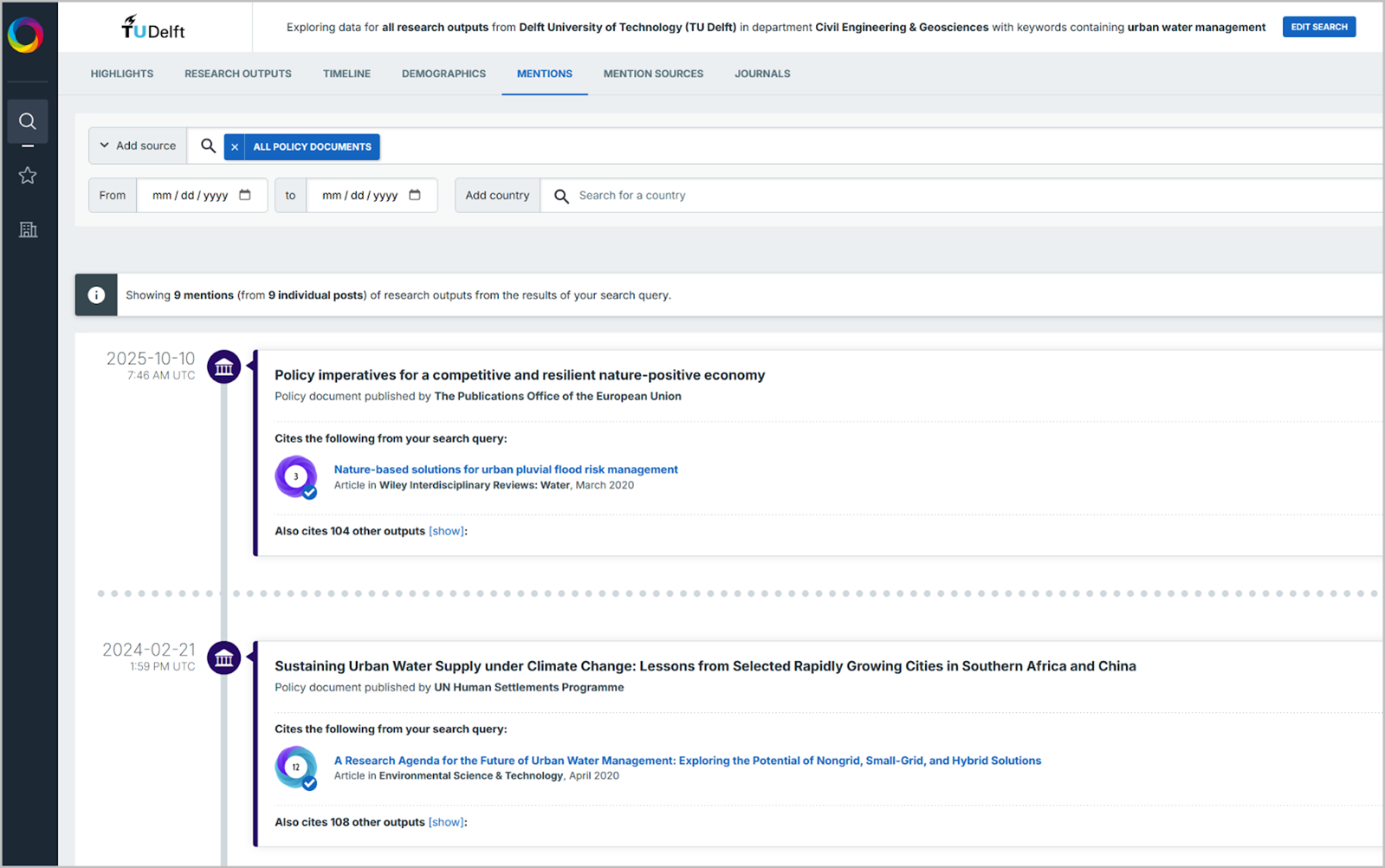
Example A: tracking the policy impact of urban water management research
If you are part of the Faculty of Civil Engineering and Geosciences and want to see how your department’s work on urban water management is being cited in government white papers or NGO reports, the direct TU Delft view is the fastest route. You can filter by your specific department to see all policy mentions linked to your official TU Delft publications.
Instructions:
- Go to Edit Search and search for Verified Department CIVIL ENGINEERING & GEOSCIENCES
- Use the keywords urban water management
- Make sure you have checked “My Institution only” on the top right, and then click RUN SEARCH.
- Filter on ALL POLICY DOCUMENTS.
Now you can view and analyse and export Research Outputs, Mentions, Mention Sources etc:
Example B: documenting a full career for a grant application
Imagine a professor recently joined TU Delft from another international university. If they use the direct view, their previous high-impact work won’t appear because it isn’t in our local Pure system. By using Dimensions to search for the author’s full name, they can capture their entire career output and transfer it to Altmetric EFI to show a lifelong history of public engagement.
Instructions:
- Go to Dimensions and perform an author search on the author of interest
- Click on See attention in Altmetric Explorer
Now you can again view and analyse and export Research Outputs, Mentions, Mention Sources etc. related to this researcher.
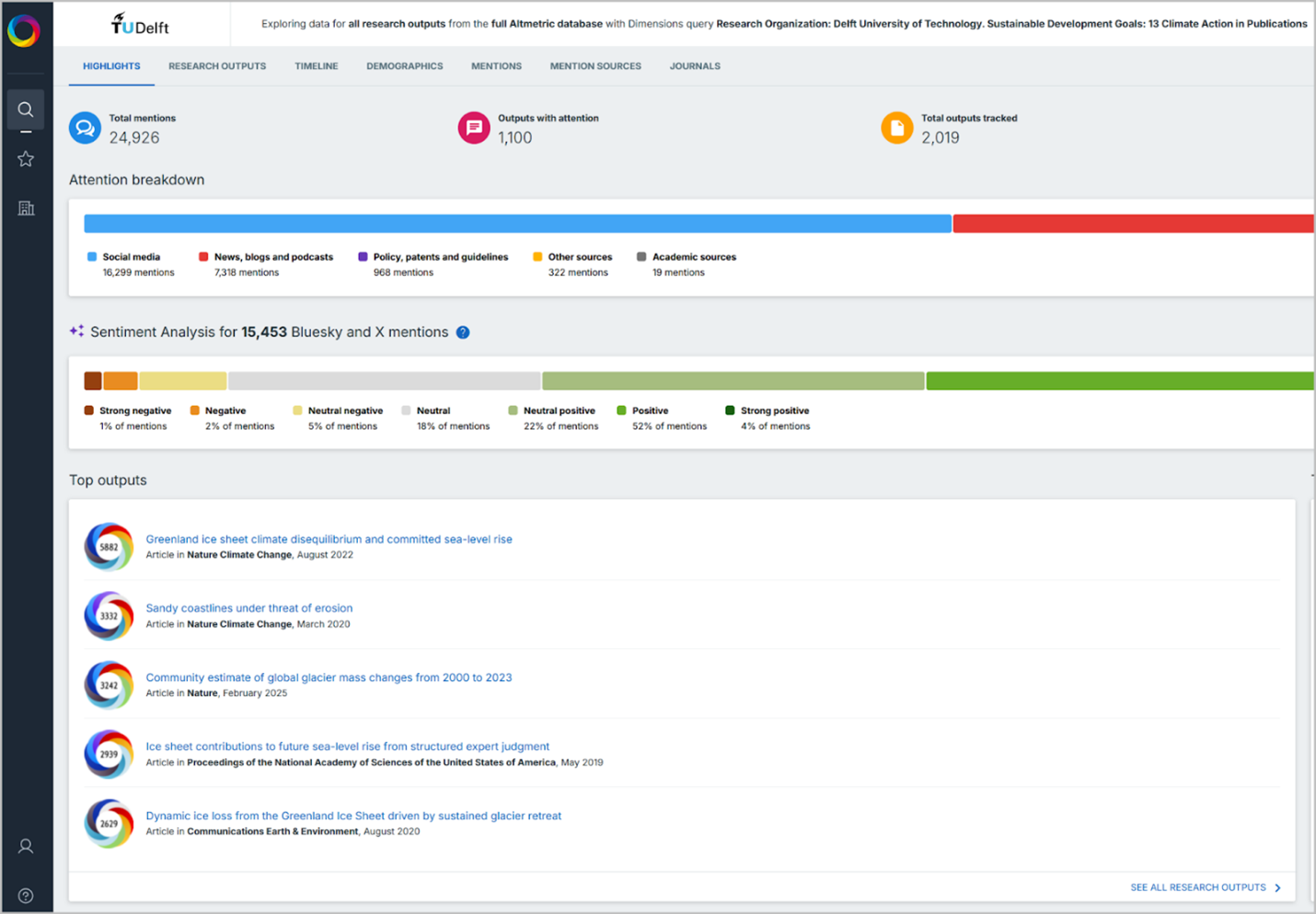
Example C: analyzing attention for Sustainable Development Goals (SDGs)
If you want to see how TU Delft research related to “Climate Action” (SDG 13) is being discussed on social media, you would start in Dimensions. You can run a search for all TU Delft publications tagged with SDG 13 and transfer that specific set to Altmetric.
Instructions:
- Go to Dimensions and filter on SUSTAINABLE DEVELOPMENT GOALS: SDG 13 and RESEARCH ORGANIZATION Delft University of Technology
- Click on See attention in Altmetric Explorer
Now you can explore all publications and mentions:
Key features to explore
Once you have defined your dataset, Altmetric EFI offers several tools to visualise the reach and engagement of your research:
- Altmetric attention score: This weighted indicator reflects the volume and type of attention an output has received (the famous colourful “donut”).
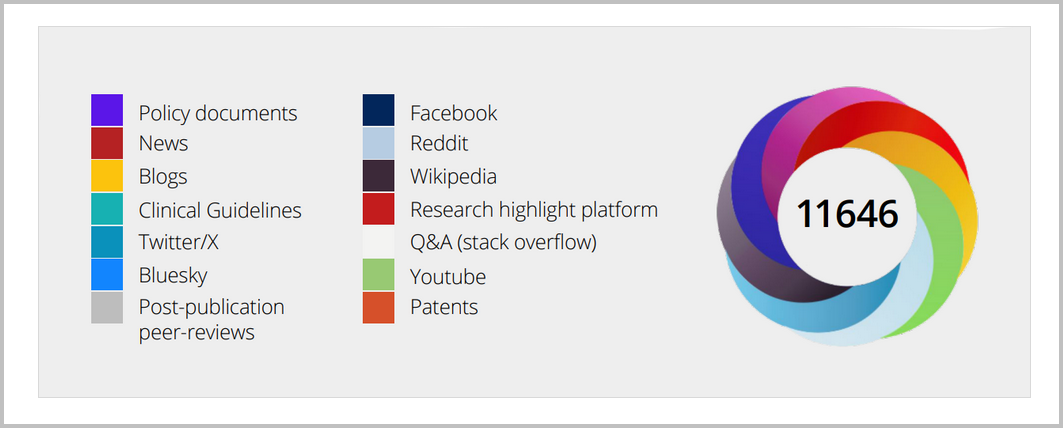
- Detailed attention sources: You can see specific mentions from various online sources, including direct links to news stories or policy documents.
- Visualisation tools: Use maps, charts, and timelines to explore attention patterns geographically and over time.
- Export detailed data including direct links to the mentioning source for further analysis and reporting.
Turning data into impact
Why spend time in Altmetric EFI? The platform provides evidence that goes beyond traditional academic metrics:
- Evidence of societal impact: Identify where research is being discussed in policy documents or news outlets to gather evidence of public engagement.
- Support for grant applications: Include Altmetric data in your CV or reports as tangible evidence of the broader reach and dissemination of your work.
- Monitoring trends: Stay informed on how specific research areas are being received by the public and non-academic sectors.
More information
For detailed guidance, you can explore the Altmetric Support Center or see the TU Delft guidance on using Dimensions and Altmetric Explorer.
Have you used Altmetric data in your latest report or grant? Let us know in the comments how it helped you demonstrate the impact of your research!
Discover more resources
Altmetric Explorer is just one of many resources provided by the TU Delft Library to support your research and studies. For an overview of available databases please visit the A-Z list of resources.